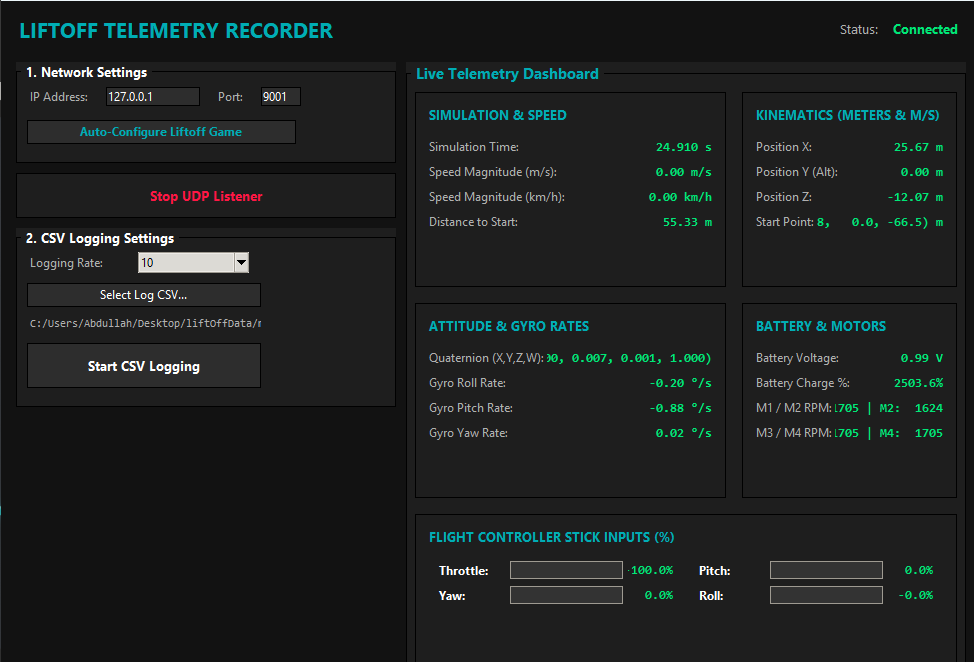
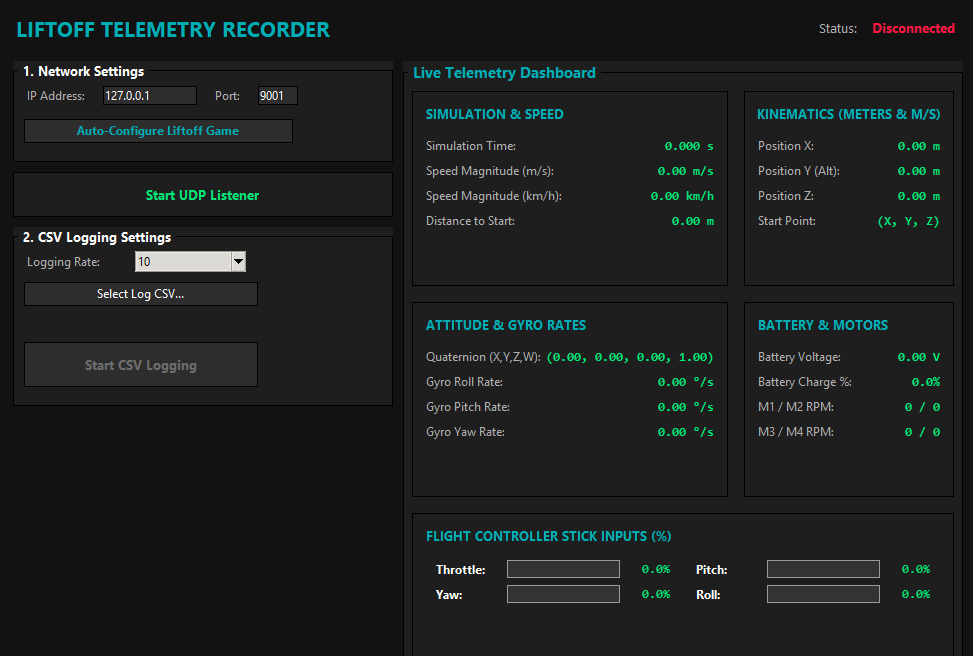
A Windows app that receives the flight data the Liftoff FPV drone simulator broadcasts over UDP, shows it on a live dashboard and records it to a CSV file.
Download
Download release.zip with the floppy disk at the top of this page and unzip it. It contains two files:
Liftoff Telemetry Recorder.exe— single-file app, no installation neededKULLANIM.md— a short usage note (in Turkish)
The exe is not signed, so Windows SmartScreen may warn on the first start: More info → Run anyway.
Usage
- Run Liftoff at least once (this is how the app finds Liftoff's settings folder).
- Open the app, check the IP address and port under Network Settings and press Configure Liftoff. The defaults are
127.0.0.1and9001. - Press Start Listening. Once you start flying in Liftoff, the dashboard comes alive.
- Choose where to save the log with Select Log CSV....
- Pick a Logging Rate: 1, 2, 5, 10, 20, 50 Hz or Max (Unlimited).
- Press Start CSV Logging to start recording. Press it again to stop.
What does Configure Liftoff do?
Liftoff only broadcasts telemetry when a TelemetryConfiguration.json file exists in its settings folder. Configure Liftoff writes that file for you:
%USERPROFILE%\AppData\LocalLow\LuGus Studios\Liftoff\TelemetryConfiguration.jsonThe EndPoint value in the file is built from the IP and port you entered (127.0.0.1:9001). Restart Liftoff if the setting changed.
CSV contents
Every row uses a fixed schema, so logs from different flights can be analysed with the same tools:
| Column group | Contents |
|---|---|
| Timestamp, Sim Time | Wall-clock time and simulation time |
| Position | X, Y, Z position |
| Start Pos & Dist | Start position and distance from it |
| Velocity, Speed | Velocity vector and total speed |
| Attitude | Orientation of the drone |
| Gyro | Angular rates |
| Inputs | Throttle, yaw, pitch, roll stick inputs |
| Battery | Battery state |
| Motors | Motor RPM values |
Technical notes
- Written in Python with a Tkinter interface and the standard
socketmodule; packaged as a single-file exe with PyInstaller. - Each UDP packet Liftoff sends is 97 bytes and is decoded with a fixed binary format.
- The app only listens on your local network; no data is sent anywhere.